

Well it’s New Year’s Eve, and you can be absolutely sure that all over the world people will be celebrating with fireworks. What better way to usher in a new digital year than with a canvas-based equivalent? I tell you, there surely is no finer thing!
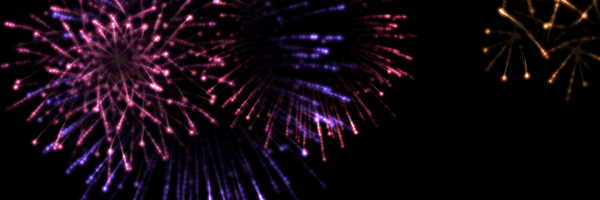
It’s something of a bumper “tip” this one, so much so that we popped it in to our tutorials section. So head over there and discover how you can make your own firework display using the HTML5 canvas tag.
All together now: “OooooH! … AaaaaAHH!”
Check out the Fireworks Effect and our tutorial: Make an explosive firework display


Haha, neat!, Thank you for sharing! Happy new year!
Had a quick hack at combining day 3′s (pixel positioning) to have the fireworks shoot up in formation – http://tholman.com/experiments/html5/fireworks/ – Its subtle, but you can just see the letter shapes before they explode
Pingback: HTML5 Game Development » News Archive » Fireworks!
hi, great job on the Fireworks btw! I only ask one thing- can you add a way of placing a background below the fireworks? I tried to do this myself, but failed lol! Just don’t know enough javascript myself. I saw you added provision for Library.nightsky already, so you must be thinking in that direction already. The only way I could do the background drawing is by modifying update() function and doing globalCompositeOperation, like this:
function update() {
clearContext();
requestAnimFrame(update);
drawFireworks();
var oldCompositeOperation = mainContext.globalCompositeOperation;
mainContext.globalCompositeOperation = ‘lighter’;
mainContext.drawImage(Library.nightsky,0,0);
mainContext.globalCompositeOperation = oldCompositeOperation;
}
But because of this, I dont’ get the right colors of course. And another way is drawing it w/ ‘copy’ mode inside of clearContext, but then you get this weird flickering – because accumulative buffer gets erased as I understand.
Anyone tried something like this, please post a solution?
Spectacular! It would be great if background picture could be added.
Certainly firework sound effect would make it realistically.
Many thanks.
Is this also possible on an white background? I’ve tried to edit this at line 125:
from: mainContext.fillStyle = “rgba(0,0,0,0.2)”;
to: mainContext.fillStyle = “rgba(255,255,255,255)”;
But that is not working I can’t see the fireworks.
Somebody has an answer? Thanks in advance.
Another fireworks with HTML5: http://programmingheroes.uphero.com/blog/PruebasHTML5/fireworks.html
let me show you another projects, please
http://programmingheroes.uphero.com/blog/PuzzCam/puzzcam.html
http://programmingheroes.uphero.com/blog/SimonHTML5/index.html
Would this be called spam? hahaha